

Online banking has made managing money faster and more convenient than ever, but it has also opened the door to new digital risks. From phishing scams to unauthorized access, even a small security mistake can lead to serious financial loss. Understanding how to protect your online banking activities is no longer just helpful; it’s essential. By adopting smart security practices, you can stay in control of your finances and use digital banking with confidence.
Table of Contents
How Can Strong Passwords Keep Your Online Banking Safe?
Strong passwords form the first line of defense against unauthorized access. Weak or reused passwords make it easier for attackers to compromise accounts using brute-force attacks or leaked credentials from data breaches.
A secure banking password should:
- Be at least 12–16 characters long
- Combine uppercase and lowercase letters, numbers, and symbols
- Avoid personal details such as names or birthdates
- Be unique to online banking accounts
Password managers can help users create and store complex passwords securely. According to cybersecurity experts, using unique passwords for financial services significantly reduces account compromise risks. Strong password hygiene is a core component of effective online banking security.
How Do You Identify and Avoid Online Phishing Scams?
Online phishing scams often appear as emails, messages, or websites that pretend to be from trusted organizations like banks. Common warning signs include urgent language, spelling mistakes, unfamiliar sender addresses, and requests for sensitive information. To avoid phishing, never click on suspicious links or download unknown attachments. Always access your bank through its official website or app. If a message seems doubtful, verify it directly with the organization before taking any action.
Why Is Securing Your Devices Important for Online Banking Safety?
Securing your devices is essential because online banking data can be exposed if a phone or computer is lost, stolen, or infected with malware. Unsecured devices make it easier for hackers to access login credentials and financial information. Using screen locks, antivirus software, and secure networks helps prevent unauthorized access. This ensures your banking activities remain private and protected.
How Do Regular Software Updates Protect Your Financial Data?
Software updates often include critical security patches that fix vulnerabilities exploited by cybercriminals. Outdated operating systems and apps can expose users to known threats.
Regular updates help by:
- Closing security loopholes
- Improving encryption standards
- Enhancing protection against malware and spyware
Banks continuously upgrade their systems, but users must also ensure their devices and browsers are up to date. Ignoring updates undermines online banking security and increases exposure to cyber risks.
What Is Multi-Factor Authentication, and Why Should You Use It?
Multi-factor authentication (MFA) is a security feature that requires more than one method to verify your identity, such as a password and a one-time code sent to your phone. It adds an extra layer of protection even if your password is compromised. MFA significantly reduces the risk of unauthorized account access. This makes online banking much safer and more reliable.
How Often Should You Check Your Bank Account for Suspicious Activity?
You should review your bank account activity regularly, ideally daily or at least a few times a week. Frequent monitoring helps you spot unauthorized transactions early. Many banks also offer alerts for unusual activity, which can provide instant updates. Early detection allows quick action to prevent financial loss.
Building Trust Through Responsible Online Banking Practices
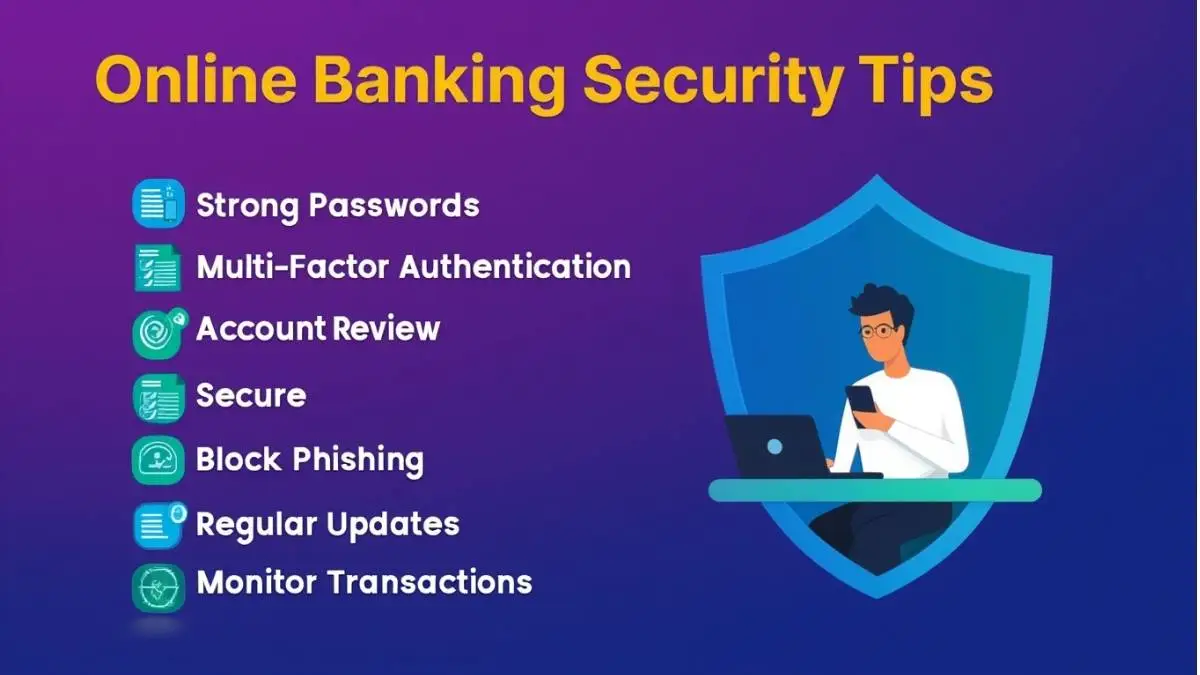
- Use strong, unique passwords and update them regularly
- Enable multi-factor authentication for an extra layer of security
- Avoid clicking on suspicious links or responding to unexpected messages
- Keep your devices and banking apps updated with the latest security patches
- Monitor your bank accounts frequently for unusual or unauthorized activity
- Use secure networks and log out after completing online banking sessions
FAQs
1. Is it safe to use public Wi-Fi for online banking?
Using public Wi-Fi for online banking is risky because these networks are often unsecured and can be exploited by hackers. Sensitive information, such as login credentials, may be intercepted. It is safer to use a private network or mobile data when accessing banking services.
2. What should you do immediately if you suspect online banking fraud?
If you notice suspicious activity, contact your bank immediately to report the issue and block unauthorized access. Change your login credentials and review recent transactions carefully. Prompt action can help minimize financial loss and prevent further misuse.
3. How does encryption protect online banking transactions?
Encryption converts sensitive financial data into coded information that cannot be read by unauthorized parties. This ensures that even if data is intercepted, it remains secure. Most banks use advanced encryption standards to protect online transactions.
Conclusion
Online banking security relies on a combination of awareness, strong habits, and responsible digital behavior. By using secure passwords, protecting devices, enabling advanced authentication methods, and monitoring accounts regularly, users can significantly reduce security risks. Staying informed and proactive helps build trust in digital banking systems while safeguarding personal and financial information.
