
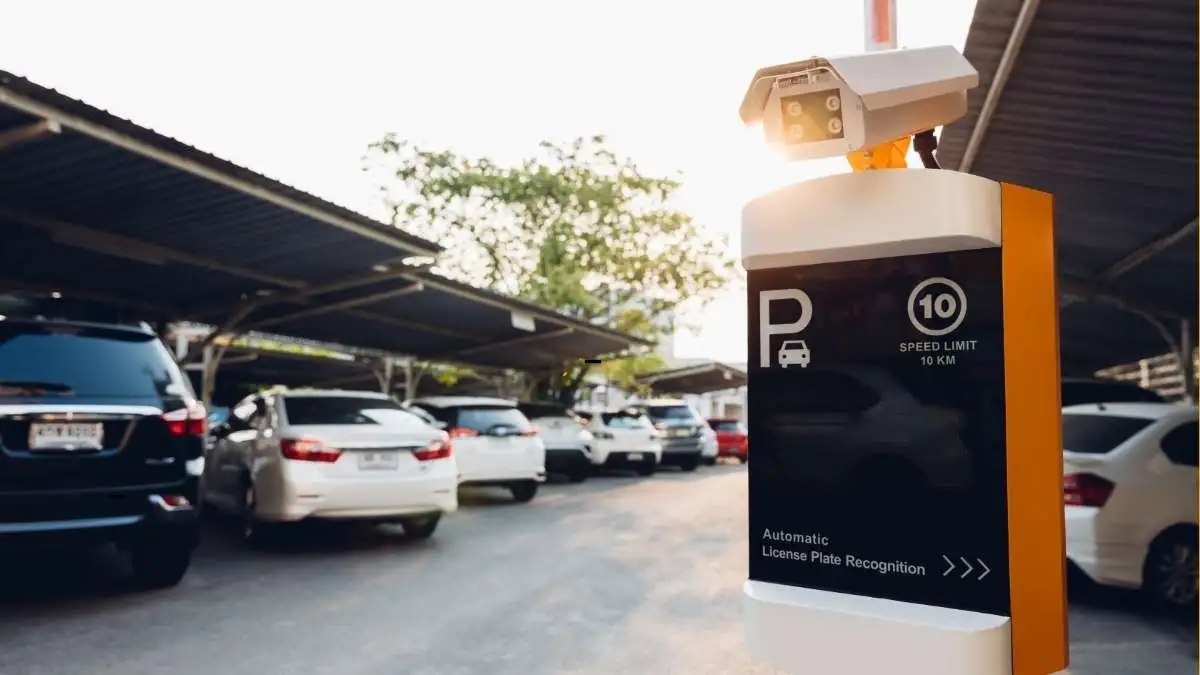

Smart Parking, by using apps and online booking platforms to reserve garage parking in advance, allows drivers to secure a parking space before arriving at their destination. By entering a location, time window, and vehicle details, users can compare garages, pay online, and receive a digital parking pass. This process saves time, reduces stress, avoids unexpected costs, and helps drivers follow garage-specific rules more confidently.
Table of Contents
What Are Smart Parking Apps and Online Booking Platforms?
Smart Parking apps are digital platforms that allow drivers to find, reserve, and pay for parking spaces using a smartphone or web browser. These apps partner with parking garages, lots, and operators to display available spaces in real time.
They act as a bridge between drivers and parking facilities, handling reservations, payments, and access instructions. Some apps focus on garage parking reservations, while others are designed mainly for street parking management, such as meter payments or zone-based parking.
Which Apps Are Commonly Used for Advanced Garage Parking?
Several trusted platforms are widely used for advanced garage reservations, including Spot Hero, ParkWhiz, and ParkMobile. While Smart Parking app names are familiar, features matter more than branding.
- Accurate availability information
- Clear garage rules and restrictions
- Digital passes or license plate recognition
- Transparent pricing and cancellation policies
Choosing the right app depends on your city, destination, and parking duration. I have noticed that availability and pricing can vary between apps, even for the same garage, so comparing options is useful.
How to Set Up a Smart Parking App Before Booking
Before booking a parking space, download a trusted parking app and create an account using your email or phone number. Add your vehicle details, especially the correct license plate number, as many garages use it to verify entry. Save a payment method in advance to avoid delays at the gate and ensure a smooth entry and exit experience.
How to Search for the Right Garage Using Location and Time Filters
Most parking apps allow users to search by address, landmark, or venue name. Entering the correct arrival and departure time is critical, as pricing and availability depend on this window.
- Map view, showing nearby garages visually
- List view, ranking options by price or distance
Comparing walking distance, garage access hours, and total cost helps users choose the most practical option rather than the cheapest one alone.
What to Check Before You Confirm Your Parking Reservation
Before confirming your parking reservation, carefully review the garage details provided in the app. Check important information such as vehicle height limits, size restrictions, and whether the garage offers self-parking or valet service. Make sure to understand the entry and exit rules, including allowed times and in-and-out privileges, so there are no surprises when you arrive. Reading these details in advance helps avoid access issues, extra charges, or denied entry.
How Online Payments and Digital Parking Passes Work
Once a reservation is confirmed, payment is completed online through the app. Users typically receive a digital parking pass
- A QR code
- License plate–based access
- A confirmation email
The pass is stored in the app and sometimes sent by email as a backup. Knowing where to find this pass before arrival avoids confusion at the garage entrance.
How to Enter and Exit the Garage Using a Prepaid Reservation
| Entering the Garage | Exiting the Garage |
| Open the parking app or email and have your digital parking pass ready before reaching the gate. | Follow the exit instructions shown in the app or on garage signs. |
| Scan the QR code at the entry gate or allow license-plate recognition to verify your reservation. | Scan the same QR code at the exit, if required, or wait for the system to read your license plate. |
| Do not take a paper ticket, as it may cancel or override your prepaid booking. | If the gate does not open automatically, use the intercom or app support for assistance. |
| Enter only during your reserved time window to ensure access is approved. | Exit within the booked time to avoid additional charges. |
What Happens If You Arrive Late or Stay Longer Than the Booked Time?
If you arrive late, some garages allow a short grace period, while others may cancel the reservation if entry is too delayed. Staying longer than your booked time usually results in automatic extra charges at the garage’s standard hourly rate. Many parking apps let you extend your parking time in advance, which can help avoid higher overstay fees.
Common Mistakes to Avoid When Booking Garage Smart Parking Online
- Entering an incorrect license plate number
- Booking the wrong date or time
- Ignoring access instructions
- Scanning unofficial QR codes posted at garages
Is Advance Garage Parking Safe and Reliable?
Reputable smart parking apps use encrypted payment systems and follow standard data security practices. Trusted platforms also provide customer support and transaction records, reducing disputes.
In my experience, booking is more reliable than drive-up parking, especially in high-demand areas. Clear digital records make resolving issues easier if problems arise.
Who Benefits Most from Reserving Parking in Advance?
- Daily commuters with fixed schedules
- Event and concert attendees
- Travelers unfamiliar with local parking rules
- Business professionals attending meetings
Anyone who values predictability and time efficiency can benefit from reservations.
FAQs
1. Can I cancel or change my parking reservation after booking?
Most smart parking apps allow cancellations or changes up to a certain time before the reservation starts. The refund policy depends on the garage and platform, so it is important to check the cancellation terms before confirming your booking.
2. Do parking apps work without an internet connection at the garage?
In many cases, yes. Once the digital pass or QR code is downloaded or saved to your phone, it can be accessed offline. However, having internet access helps if you need support or last-minute changes.
3. What should I do if the garage is full despite having a reservation?
If this happens, contact the app’s customer support immediately using the reservation details. Most platforms offer assistance, alternative parking options, or refunds when access issues occur.
Conclusion
Reserving garage smart parking in advance also helps drivers plan their trips more efficiently by removing uncertainty from travel schedules. It encourages better decision-making by allowing comparisons based on convenience rather than urgency. Over time, using parking apps can lead to smarter parking habits and a more organized driving experience.
